Introduction
As users of modern web applications we are familiar with filters that allow us to narrow a search down to an area/radius around a specified location. 📍
Here is an example of such a radius based proximity search provided by Ricardo.

I was wondering how such a location-based search service actually could be implemented with Postgres/Supabase and started exploring ... 🤔
Here is my solution 🧑🏻💻
Preparing the table schema & data
For the purpose of this article, let's assume we've got the following simplified table named public.article as a starting point.
create table article
(
    id          serial primary key,
    title       text    not null,
    description text    not null,
    price       integer not null
);
It's obvious this table isn't capable of storing any useful information for a location based search, yet. For that, we'll need to store the coordinates somehow.
This is where the PostGIS extension and its data types come into play.
postgis/postgis:17-master container image over postgres:17, as it comes with the PostGIS extension pre-installed.First, make sure you've got the extension properly setup and working.
select PostGIS_Full_Version();Before we can make use of the extension it needs to be enabled. We can do so by executing
create extension if not exists postgis;Now we have access to the PostGIS data types, so let's add a column to the article table holding its coordinates.
alter table article
    add column location text not null;

alter table article
    add column coordinates geography(Point, 4326) not null;
I guess this data type needs some explanation. Quoting the official documentation:
The PostGISgeographydata type provides native support for spatial features represented on "geographic" coordinates (sometimes called "geodetic" coordinates, or "lat/lon", or "lon/lat"). Geographic coordinates are spherical coordinates expressed in angular units (degrees).
The basis for the PostGIS geometry data type is a plane. The shortest path between two points on the plane is a straight line. That means functions on geometries (areas, distances, lengths, intersections, etc) are calculated using straight line vectors and cartesian mathematics.
and further
This makes them simpler to implement and faster to execute, but also makes them inaccurate for data on the spheroidal surface of the earth. [...]
For all spatial reference systems the units returned by measurement functions [...] are in meters.
Perfect, that's exactly what we need, and for the given use case we can neglect the inherent inaccuracy given by this data type.
The data type geography supports two optional type modifiers, the spatial type modifier and the SRID (spatial reference system identifier) modifier.
Since we only need to represent one point on a plane in decimal degress a Point is sufficient.
Further, the SRID modifier is set to 4326 which corresponds to WGS 84, which is the current standard used in cartography, geodesy, and satellite navigation including GPS.
 Contributors to Wikimedia projects
Here is an example for the center Bern
| Bern (WGS84) | Longitude (easting) | Latitude (northing) |
|---|---|---|
| Decimal degree | 7.4475° | 46.948056° |
| Degrees, minutes | 7°26.85' | 46°56.883333' |
| Degress, minutes, seconds | 7°26'51'' | 46°56'53'' |
spatial_ref_sys holds all available spatial reference systems available with PostGIS.Okay, fine. Let's fill the table with some random data for title, description and price
update article
set title       = 'Title-' || substr(md5(random()::text), 1, 10),
    description = 'Description-' || substr(md5(random()::text), 1, 10),
    price       = (1 + floor(random() * 90))::int;
Of course the most important part of the data is missing, the location name and the coordinates.
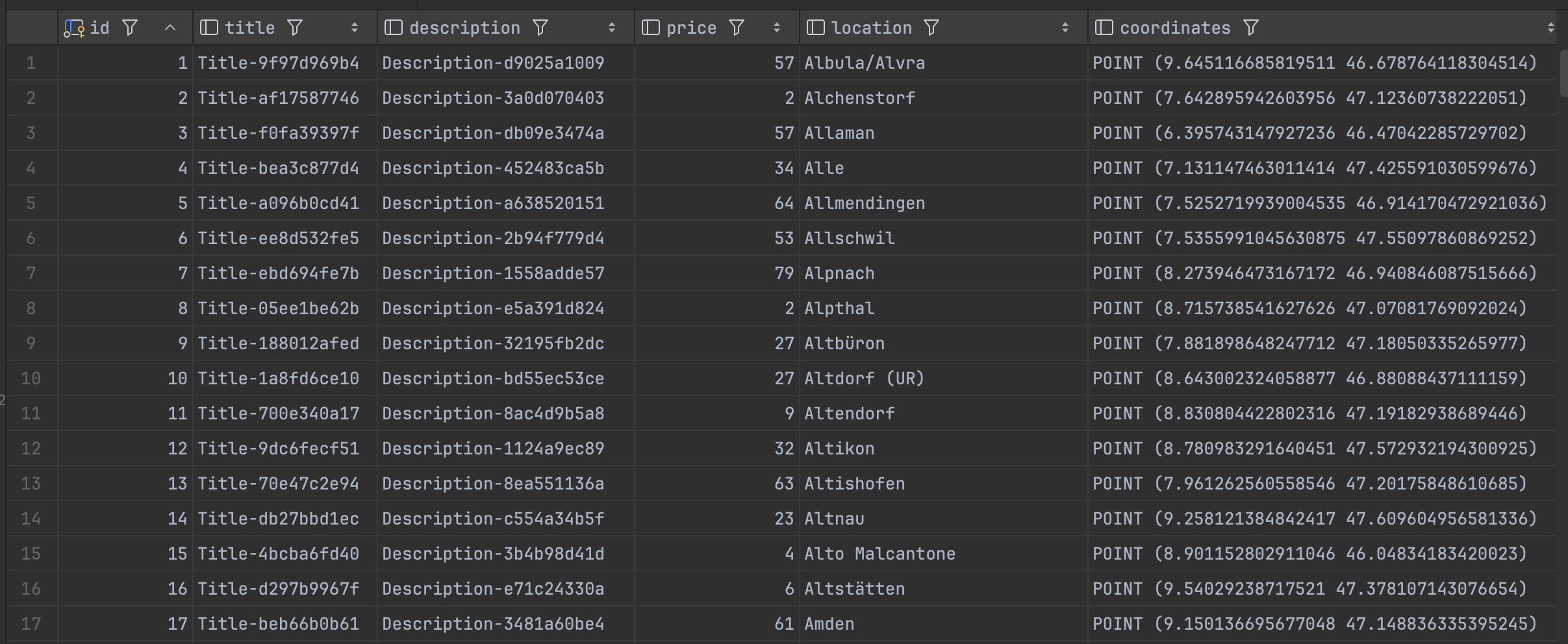
To save some time, I took a list of Swiss municipals from here and converted the LV95 coordinates to WGS84 with the help of a small Node.js application and this API. Afterwards, I have imported the data using Jetbrains DataGrid.
If you'd like to follow along, you can get the demo data from my GitHub repo.
https://github.com/matthiasguentert/blog-article-radius-search-with-postgis/blob/main/article.json
Executing the proximity query
Finally, we have our demo data ready and can perform some proximity search on it. For this purpose, we'll be using a couple of functions.
- ST_SetSRID – Set the SRID on a geometry
- ST_MakePoint – Creates a 2D, 3DZ or 4D Point.
- ST_Distance – Returns the distance between two geometry or geography
- ST_DWithin – Tests if two geometries are within a given distance
The following query returns all articles within a radius of 5000 meters relativ to Bern (7.439946089092845, 46.948384327917445) and calculates the distance.
select
    a.*,
    ST_Distance(a.coordinates, ST_SetSRID(ST_MakePoint(7.439946089092845, 46.948384327917445), 4326)::geography) as distance_m
from article a
where ST_DWithin(a.coordinates, ST_SetSRID(ST_MakePoint(7.439946089092845, 46.948384327917445), 4326)::geography, 5000)
order by distance_m;
Let's pick the most intersting pieces of the query apart...
ST_Distance(a.coordinates, ST_SetSRID(ST_MakePoint(7.439946089092845, 46.948384327917445), 4326)::geography) as distance_mThis calculates the distance between the article location and the user entered search location in meteres and names the additional column distance_m.
where ST_DWithin(a.coordinates, ST_SetSRID(ST_MakePoint(7.439946089092845, 46.948384327917445), 4326)::geography, 5000)Return true if article location and user entered search location are within the distance of 5000 meters.

Conclusion
And there you have it. That was fun 🤩 I guess the performance could be improved by applying proper indexing. But this is beyond this article.
Further reading


Online converter LV95 - WGS84 GPS coordinates

Geographische Kennzahlen